 Llumo Help CenterBack to Llumo
Understanding Query Fan-Out in AI Web Search
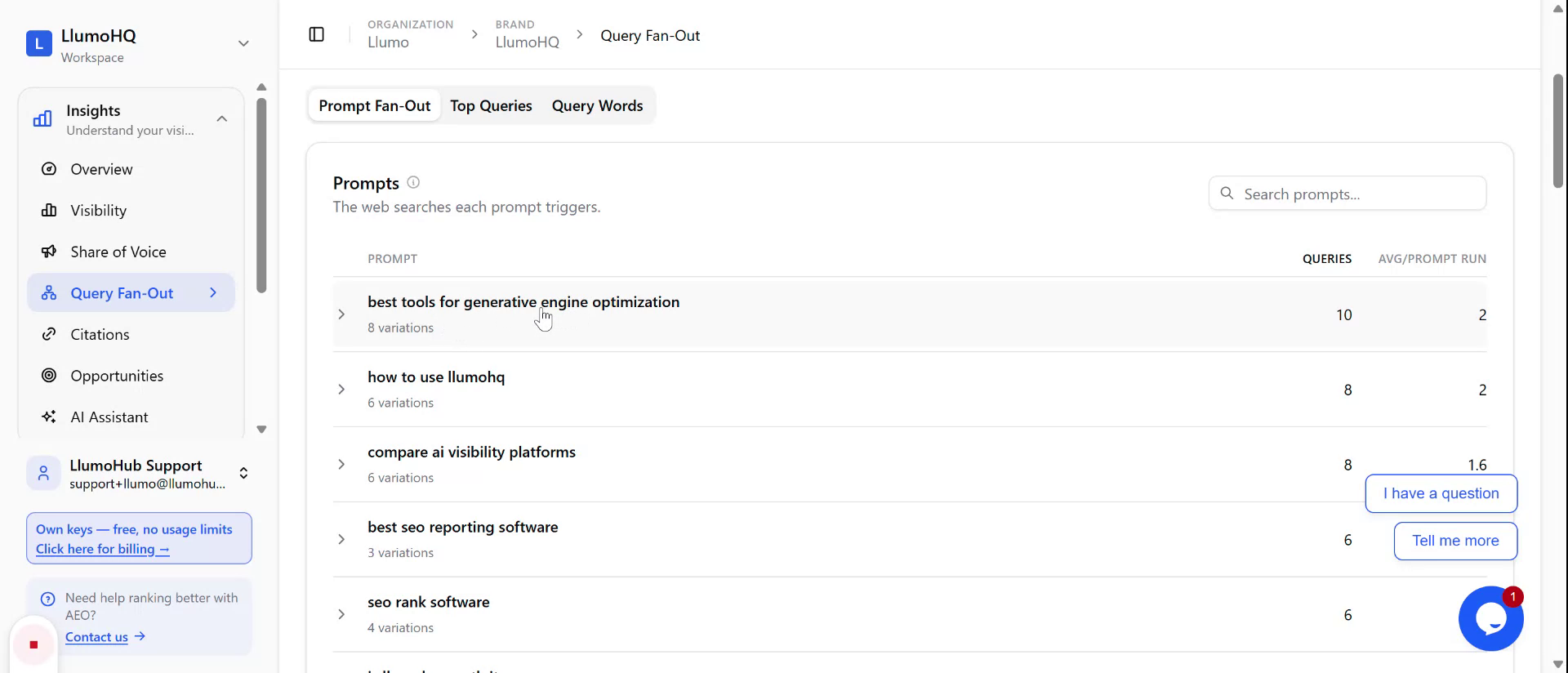
This document explains how to inspect and understand query fan-out—how an AI engine issues multiple web searches to answer a single prompt—and how to review the related queries, quoted sources, and word-level changes.
Step 1: Open the Query Fan-Out Details
Start from the AI engine response that includes web search–based
citations for your prompt (for example, “best tools for generative
engine optimization”).
Open the query fan-out view to see how the system generated its
answer.
Step 2: Review All Queries Used to Generate the Answer
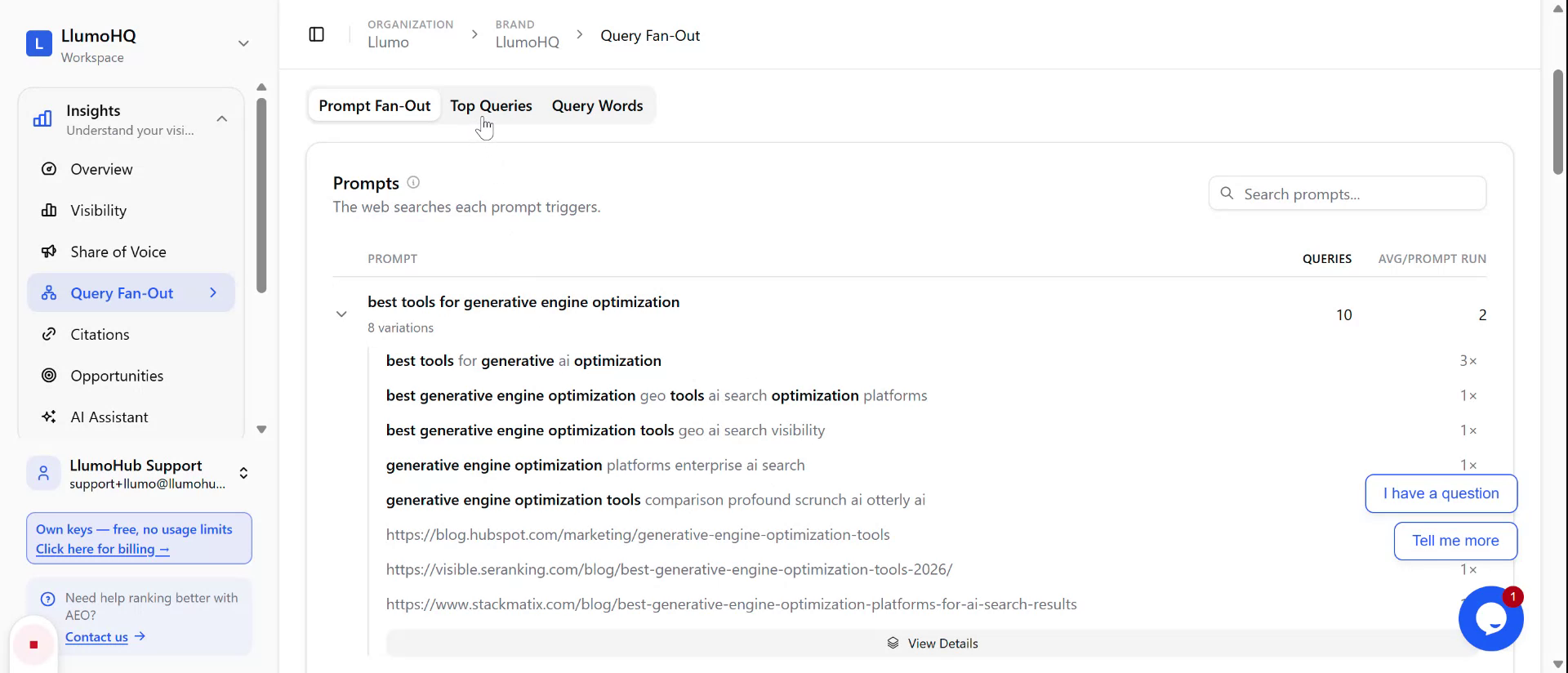
In the query fan-out view, examine the list of all search queries the
AI engine executed to produce the response.
These queries represent variations on your original prompt that the
system used to gather information and supporting quotes.
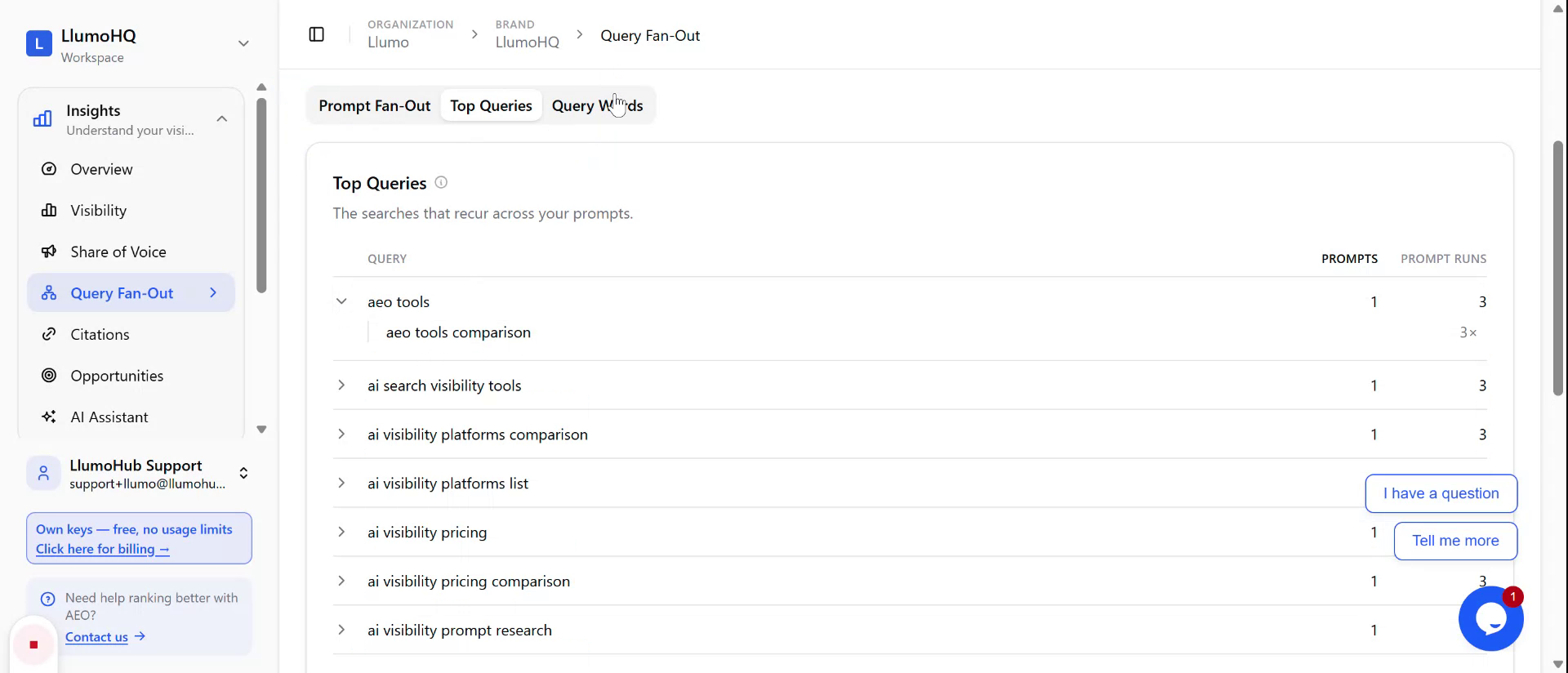
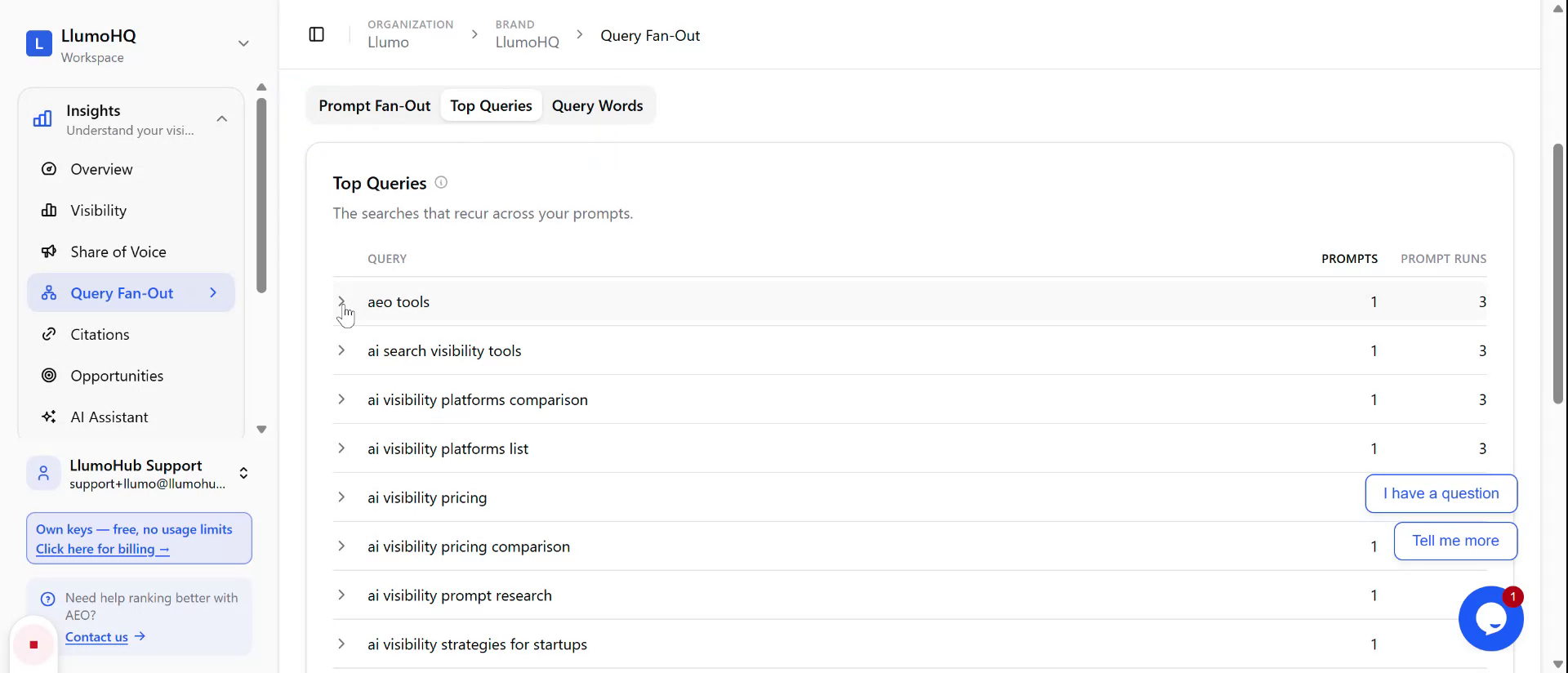
Step 3: Inspect the Top Quoted Queries
Locate the section showing the top queries that contributed quoted
material to the answer.
Use this to understand which specific searches had the greatest
influence on the final response.
Step 4: Analyze Query Words and Word-Level Changes
Find the query words section, which breaks down the individual terms
used across all queries.
Review how words were changed, preserved, or dropped between query
variations to see how the AI refined its searches.