 Llumo Help CenterBack to Llumo
Using the AI Assistant for Analytics Insights
This process explains how to use the AI assistant after connecting your GA4 and Google Search Console data, so you can ask questions about opportunities, visibility, and traffic, and receive automated insights.
Step 1: Connect Your Data Sources
Ensure your Google Analytics 4 (GA4) and Google Search Console accounts are connected to the platform. The AI assistant uses these data sources, along with your visibility information, to analyze performance and generate insights about opportunities, visibility, and traffic.
Step 2: Open the AI Assistant Interface
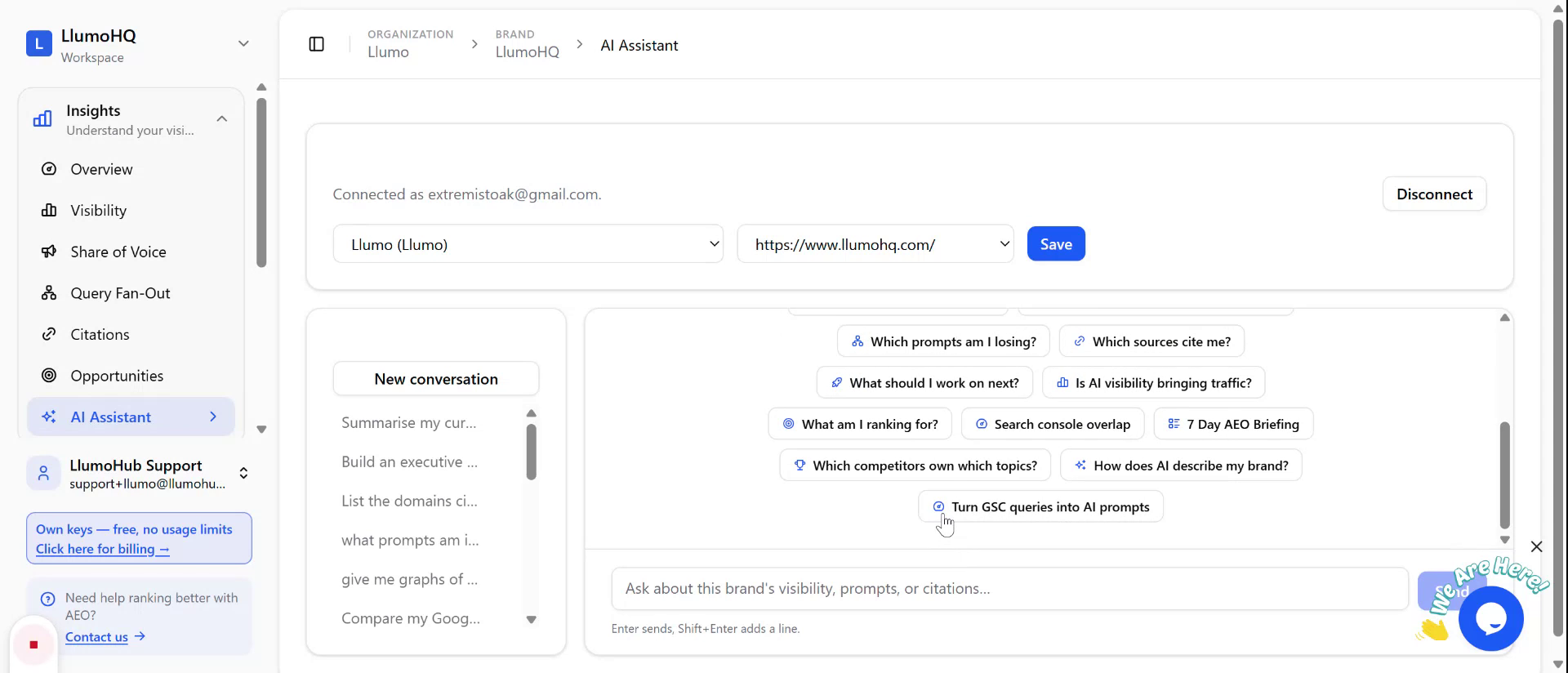
Navigate to the AI assistant section within the platform. You will see a text input area where you can type natural language questions based on your connected data.
Step 3: Ask a Question in Natural Language
Type any question you have about your data into the AI assistant input box. You can ask about performance trends, traffic, visibility, or specific opportunities you want to explore.
Step 4: Review the AI-Generated Answer
After submitting your question, the AI assistant will process your request, analyze the connected GA4, Search Console, and visibility data, and then return a detailed answer. Review the response to understand the insights and consider next steps or follow-up questions you may want to ask.